





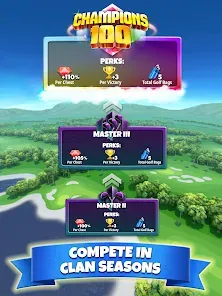





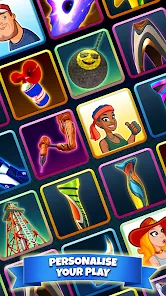




Golf Clash is a popular mobile multiplayer golf game that combines fast-paced gameplay with realistic graphics and physics. Developed by Playdemic, the game allows players to compete head-to-head in real-time golf matches against opponents from around the world. Featuring intuitive controls, strategic club selection, and dynamic course conditions, Golf Clash offers an engaging experience for both casual and competitive players. Players can participate in tournaments, upgrade their equipment, and join clubs to socialize and compete in group events. Its blend of skill, strategy, and social interaction makes it one of the most successful mobile golf games available today.
Pros and Cons
Pros:
Easy-to-learn controls suitable for all skill levels.
Real-time multiplayer matches offer dynamic competition.
Regular updates with new courses, tournaments, and features.
High-quality 3D graphics and realistic physics simulation.
Variety of clubs and balls that can be upgraded to improve gameplay.
Social features such as clubs and leaderboards enhance community interaction.
Cons:
Progression can be slow without in-app purchases.
Matchmaking can occasionally pit beginners against advanced players.
Internet connection required for real-time play.
Occasional ads and prompts for in-app purchases.
Some players may find the game repetitive over long sessions.
Key Features
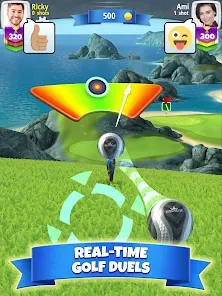
Real-time multiplayer golf matches with players worldwide.
Multiple golf courses with varied designs and environmental conditions.
Intuitive swipe controls for aiming and power adjustment.
Wide selection of clubs and balls with unique attributes.
Upgradable equipment to improve shot accuracy, power, and ball control.
Tournaments and special events offering rewards and prizes.
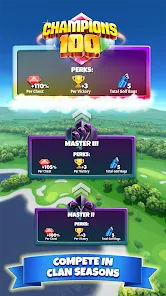
Club system to join groups, chat, and compete in team competitions.
Leaderboards to track player rankings locally and globally.
Functions
Matchmaking system pairs players for 1v1 golf duels.
Shot mechanics based on timing, power, and wind adjustment.
Course environmental effects such as wind speed and terrain impact shots.
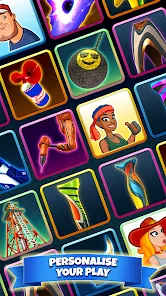
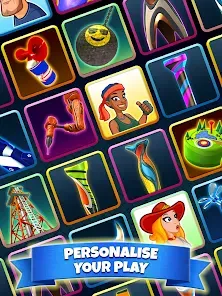
Customization of player profile and avatar.
Club management including chat, challenges, and tournaments.
Progress tracking with experience points and level-ups.
In-game shop to purchase and upgrade gear.
Replay system to review shots and improve gameplay.
How to Use
Click the button "Check All Versions" below to download and install it.
Step 1 – Download and Install: Get Golf Clash from the App Store or Google Play Store and install it on your device.
Step 2 – Create Profile: Open the game and create your player profile including a username and avatar.
Step 3 – Learn Controls: Complete the tutorial to understand basic swipe controls for aiming and shooting.
Step 4 – Play Matches: Enter multiplayer matches by matchmaking or join tournaments and special events.
Step 5 – Upgrade Equipment: Use earned coins and gems to buy and upgrade clubs and balls for better performance.
Step 6 – Join a Club: Participate in clubs to chat with other players and compete in group competitions.
Step 7 – Monitor Progress: Track your experience points, rankings, and rewards to improve over time.
Step 8 – Practice and Improve: Use practice modes and replay shots to refine your skills and strategies.


 0
0