
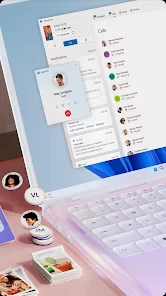
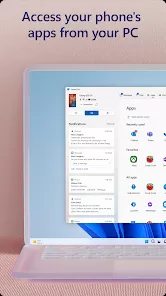
Link to Windows is a Microsoft service integrated primarily into Samsung smartphones that enables seamless connectivity between your Android device and Windows PC. It allows users to sync notifications, messages, photos, and calls directly on their computer, providing a unified experience across devices. With this feature, you can manage your phone without picking it up, enhancing productivity and convenience. The service supports screen mirroring, file transfers, and app usage, making it easier to multitask and access mobile content on a larger screen. Designed to bridge mobile and desktop ecosystems, Link to Windows is especially useful for users who rely on both platforms for work and personal use, offering a smooth workflow and real-time synchronization.
Pros and Cons
Pros:
Effortless integration between Samsung smartphones and Windows PCs.
Access to phone notifications, messages, and calls from PC.
Supports screen mirroring and app usage on desktop.
Enables quick file transfers between devices.
Boosts productivity by reducing need to switch devices.
User-friendly interface and setup process.
Works over Wi-Fi without needing USB connection.
Cons:
Limited to Samsung devices and Windows PCs, reducing cross-platform usability.
Some features may require latest OS updates.
Performance may vary depending on network stability.
Occasional connectivity glitches reported by users.
Privacy concerns when syncing sensitive notifications on PC.
Requires Microsoft account and permissions to access data.
Key Features
Real-time sync of notifications, messages, and phone calls to Windows PC.
Screen mirroring to display and control phone apps on PC.
Drag-and-drop file sharing between phone and computer.
Access to recent photos and media stored on the phone.
Ability to reply to texts and manage calls directly from the computer.
Seamless integration with Microsoft Your Phone app.
Supports multiple device pairing and quick switching.
Functions
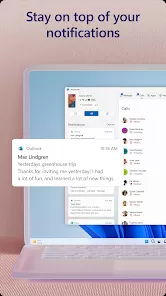
Syncs incoming notifications from phone to desktop in real-time.
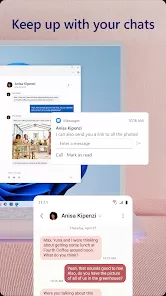
Allows sending and receiving SMS and MMS messages from PC.
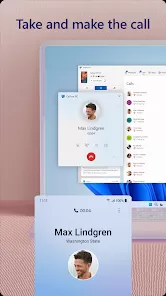
Enables answering or rejecting phone calls without using the phone.
Mirrors phone screen to PC for app usage or presentations.
Transfers files quickly without cables via drag-and-drop.
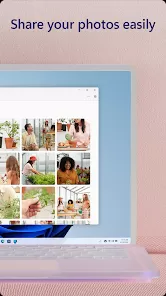
Displays recent photos for easy access and sharing on PC.
Integrates with Windows 10/11 for a cohesive user experience.
How to Use Link to Windows
Click the button "Check All Versions" below to download and install it.
Check compatibility: Ensure you have a Samsung smartphone with Link to Windows support and a Windows 10 or 11 PC.
Update devices: Keep your phone and PC updated with the latest OS and app versions.
Enable Link to Windows on your phone: Go to Settings > Advanced Features > Link to Windows and toggle it on.
Open Your Phone app on PC: Pre-installed on Windows 10/11, launch the app and sign in with your Microsoft account.
Pair devices: Follow on-screen instructions to link your phone and PC via QR code or Microsoft account.
Grant permissions: Allow necessary permissions on your phone for notifications, messages, calls, and files.
Start using features: Access notifications, reply to texts, manage calls, view photos, and mirror your screen.
Customize settings: Adjust sync preferences and notifications to fit your workflow.
Troubleshoot if needed: Restart devices or check Wi-Fi connectivity for smoother performance.



 0
0