





Microsoft Outlook

  •  4.5
  • Verified Safety

ADVERTORIAL

Microsoft Outlook is a comprehensive email client and personal information management tool developed by Microsoft. It is part of the Microsoft Office Suite and is available for both Windows and macOS as well as mobile devices through its dedicated app. Originally created as an email client, Microsoft Outlook has evolved into a powerful tool that integrates email management, calendar scheduling, task tracking, and contact management in one platform. With its user-friendly interface, advanced search functions, and seamless integration with other Microsoft services such as Teams, OneDrive, and Word, Outlook remains one of the most widely used applications for business and personal communication worldwide.

Pros of Microsoft Outlook

  • Comprehensive Integration: Outlook seamlessly integrates with other Microsoft services like OneDrive, Word, Excel, and Teams, making it a powerful tool for managing both communications and projects.

  • Robust Email Management: Offers powerful features for managing emails, such as folders, rules, and flags, along with a clutter-free inbox with the Focused Inbox feature.

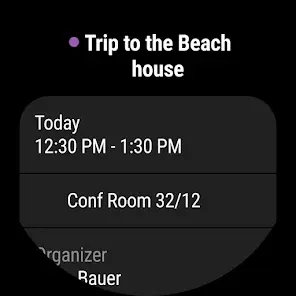
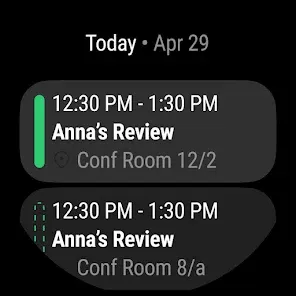
  • Advanced Calendar Features: The calendar feature allows you to schedule meetings, set reminders, and sync events across devices. You can also share your calendar with others for easy scheduling.

  • Mobile App Support: The mobile app for Outlook is well-designed, providing nearly all the functionalities available on desktop versions for easy access to your emails and schedules on the go.

  • Customizable User Interface: Outlook offers customization options for its interface, allowing you to adjust the layout, colors, and theme to suit your preferences.

  • Security Features: With built-in email encryption, phishing detection, and multi-factor authentication, Microsoft Outlook provides a high level of security to protect your personal and business communications.

  • Free Version Available: While Outlook is part of the Microsoft Office subscription, a free version with core features is available for personal use.

Cons of Microsoft Outlook

  • Complex Interface for New Users: For new users, Outlook can seem overwhelming due to its numerous features and complex settings. It may take some time to get accustomed to the layout and functions.

  • Can Be Resource-Heavy: Outlook can be resource-intensive, especially when managing multiple email accounts or using the full version on older hardware.

  • Limited Features on Free Version: The free version lacks some advanced features, such as more customization options and deeper integration with other Microsoft tools, which are available in the paid versions.

  • Sync Issues with Non-Microsoft Accounts: Sometimes, syncing issues can arise when using Outlook with third-party email services, especially if they are not fully integrated with Microsoft’s ecosystem.

  • Too Many Features for Basic Users: If you just need a simple email client, Outlook’s advanced features may feel excessive, and there are lighter alternatives that are easier to use.

Key Features of Microsoft Outlook

  • Email Management: Organize emails with folders, labels, and rules. Outlook offers powerful search capabilities, making it easy to find messages, attachments, and contacts.

  • Calendar and Scheduling: Schedule appointments, meetings, and reminders. You can also view shared calendars, manage invites, and set up recurring events.

  • Task Management: Outlook includes task and to-do lists, allowing you to create, prioritize, and track personal and work-related tasks.

  • Contacts Management: Keep track of your contacts with detailed information like email addresses, phone numbers, and other relevant data. You can also organize contacts into groups for easy communication.

  • Focused Inbox: Outlook automatically sorts incoming emails into Focused and Other categories, helping you prioritize important messages and filter out less relevant ones.

  • Attachment Support: Easily send and receive attachments, including integration with cloud storage platforms like OneDrive for sharing large files.

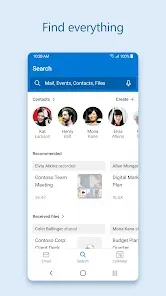
  • Search Functionality: Microsoft Outlook's search tool allows you to find emails, calendar events, and contacts efficiently, making it easy to track important information.

  • Security Features: Enhanced security with built-in anti-phishing, encryption options, and multi-factor authentication for an added layer of protection.

Functions of Microsoft Outlook

  • Email Management: Send, receive, organize, and search through emails. The email client supports POP3, IMAP, and Exchange protocols, making it highly versatile.

  • Calendar Scheduling: Plan your meetings, set reminders, and sync with colleagues or teams. Outlook helps you manage both work and personal events in one place.

  • Task Tracking: Use the Tasks feature to track personal or professional tasks, set priorities, and receive notifications on due dates.

  • Collaboration: Share calendars, tasks, and contacts with colleagues for seamless collaboration within Microsoft’s ecosystem. You can also easily integrate Outlook with Microsoft Teams for real-time collaboration.

  • Notes: Outlook allows you to create notes that sync across devices, so you can jot down important reminders, ideas, or meeting notes and access them anywhere.

  • Business and Personal Use: Microsoft Outlook can be used for both business and personal email accounts, with advanced features tailored for enterprise-level use, such as meeting scheduling, shared mailboxes, and more.

How to Use Microsoft Outlook

Click the button "Check All Versions" below to download and install it.

  • Download and Install: Click the button "Check All Versions" below to download and install it.

  • Set Up Your Email Account: Open Outlook and add your email account (either work or personal). You can add multiple email accounts and manage them from one interface.

  • Navigate the Interface: Outlook’s main interface includes your inbox, calendar, tasks, and contacts. Use the navigation panel to switch between these functions quickly.

  • Create and Manage Emails: To create a new email, click on "New Email" in the inbox. You can attach files, format the email body, and add recipients using the Address Book.

  • Use the Calendar: Click on the calendar icon to view your schedule. You can add events, meetings, and set reminders. You can also invite others to meetings and manage RSVPs.

  • Set Up Rules: Outlook allows you to create rules for incoming emails. For example, you can automatically move emails from specific senders to designated folders.

  • Sync Across Devices: Outlook syncs your email, calendar, and contacts across all your devices, ensuring you can access your information wherever you go.

  • Explore Advanced Features: As you become familiar with Outlook, explore features like Focused Inbox, attachment options, and calendar sharing to enhance productivity.

ADVERTORIAL

User comments

1

I'm not sure when the last app update occurred, but for the last 2 weeks, I will receive a notification that I have received an email. But when I open up the Outlook app, most of my new emails are nowhere to be found. I try searching for them, and nothing. I have to go onto a browser app and go to the physical web address of my email to actually find and open new email. Please fix this!!!"

1

I've used this app for years but I've had enough of it and I'm switching to something else. This app just keeps getting worse after each update. First of all, I was annoyed by the Bing search option in the Chrome app, and then they added ads at the top of the email list, and now you can't even open links in the spam folder, even the unsubscribe link... I don't want to mark those emails as not junk every time."

Similar Apps
  • 登录
社交账号登录