What is Photoshop Express Photo Editor; Pros and Cons; Key Features; Functions; How to Use
What is Photoshop Express Photo Editor?
Photoshop Express Photo Editor is a powerful yet easy-to-use photo editing application developed by Adobe. Available as a free mobile app for iOS and Android, as well as a web version, Photoshop Express brings essential editing tools from Adobe's renowned Photoshop software to your mobile device. It allows users to enhance their photos with a variety of features, including filters, cropping, adjustments for brightness and contrast, and more. With its intuitive interface, Photoshop Express is suitable for both beginners and advanced users who need a quick and efficient way to improve their photos. Unlike the full version of Adobe Photoshop, which is a professional-grade tool with a steep learning curve, Photoshop Express focuses on providing users with streamlined tools that are easy to understand and use, making it perfect for those who want to edit photos on the go or for casual editing needs. The app also supports integration with Adobe's cloud service, Adobe Creative Cloud, making it easy to access and share your edited images across devices.
Pros and Cons
- Pros:
- User-Friendly Interface: The app is designed with simplicity in mind, making it accessible for both beginners and advanced users.
- Wide Range of Editing Tools: Photoshop Express offers a comprehensive set of editing tools such as crop, rotate, straighten, adjust brightness/contrast, and more.
- Free Version Available: The app offers a free version that includes many useful features, making it an accessible option for users who don't want to pay for premium photo editing software.
- Advanced Filters and Effects: Users can apply various creative filters and effects to their photos, enhancing their images with artistic flair.
- Cloud Integration: Photoshop Express integrates with Adobe Creative Cloud, allowing for seamless syncing of your projects across multiple devices.
- Supports RAW Files: The app supports editing of RAW image files, providing more flexibility for professional photographers who want to adjust their photos in detail.
- Cons:
- Limited Advanced Features: While Photoshop Express offers many tools, it lacks some of the more advanced features found in the full Photoshop software, such as layer editing and detailed masking options.
- Requires In-App Purchases for Full Features: Some features, like certain filters and advanced adjustments, are locked behind a premium paywall, requiring users to make in-app purchases or subscribe to Adobe’s Creative Cloud services.
- Not Suitable for Complex Edits: For more intricate edits (like detailed compositing, retouching, or advanced manipulations), Photoshop Express may fall short compared to the full Photoshop version.
- Limited Desktop Version: The web version of Photoshop Express is not as feature-rich as the mobile app, limiting some editing capabilities when using a desktop or laptop.
- Occasional Performance Lag: On older devices or with large images, the app can experience some lag, which may affect the overall user experience.
Key Features
- One-Touch Auto-Fix: The app offers an automatic fix feature that adjusts your photo’s brightness, contrast, and exposure with just one click.
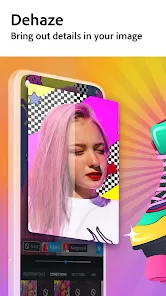
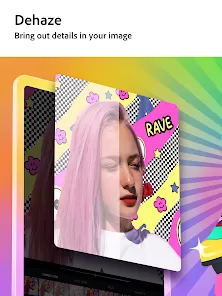
- Advanced Image Adjustments: Photoshop Express allows users to make precise adjustments to exposure, contrast, shadows, highlights, temperature, and more.
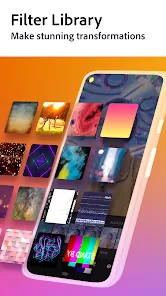
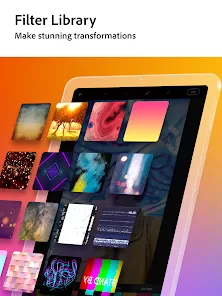
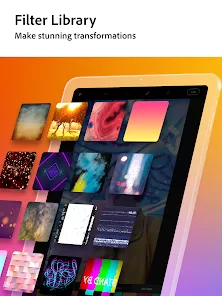
- Filters and Effects: There are numerous filters and effects available, from basic styles to artistic touches, enabling users to enhance their images creatively.
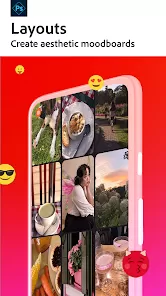
- Collage Maker: The app includes a collage-making tool, letting users combine multiple images into a single frame with customizable layouts and borders.
- Text and Stickers: Users can add text, stickers, and frames to their photos to personalize and decorate their images.
- RAW Image Support: Photoshop Express supports RAW file formats, allowing professional photographers to process high-quality images with greater flexibility.
- Background Blur: The app includes a feature to blur backgrounds, creating a depth-of-field effect often used for portrait photos.
Functions
- Basic Editing Tools: The app provides tools for cropping, rotating, flipping, and straightening photos to correct basic imperfections or change the composition of the image.
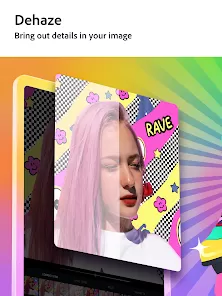
- Color and Exposure Adjustment: Users can adjust color balance, brightness, contrast, sharpness, and other exposure settings to achieve the desired look for their photos.
- Advanced Filters: Apply a wide range of filters to give photos unique effects, such as vintage, black and white, or high contrast looks.
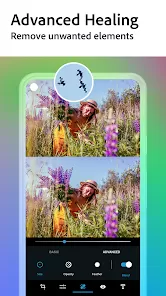
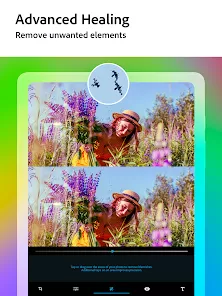
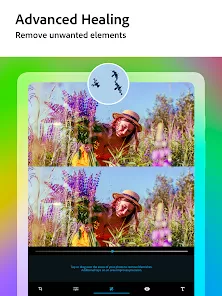
- Healing Brush: Photoshop Express includes a healing brush tool for removing blemishes, spots, or unwanted objects from photos.
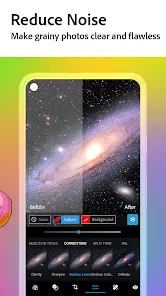
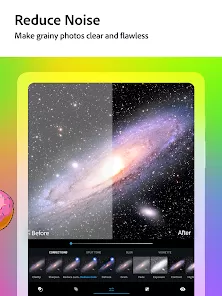
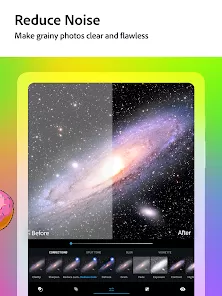
- Noise Reduction: The app includes a noise reduction feature, ideal for smoothing out grainy images, particularly in low-light conditions.
- Cloud Syncing: The app allows users to sync their photos and editing progress with Adobe Creative Cloud, ensuring access across devices.
How to Use Photoshop Express Photo Editor
- Download and Install: Start by downloading Photoshop Express Photo Editor from the App Store (iOS) or Google Play Store (Android). You can also use the web version by visiting Adobe’s official website.
- Create an Adobe Account: Sign in with your Adobe ID or create a free Adobe account to start using the app. This will allow you to access saved edits and use cloud syncing features.
- Import Photos: Once logged in, import your photos from your device's gallery or directly from cloud services like Adobe Creative Cloud or Google Photos.
- Edit Photos: Begin editing by selecting the desired photo. Use the app's basic editing tools such as crop, rotate, and straighten to adjust the composition. Apply adjustments to exposure, brightness, and contrast to enhance the photo's quality.
- Apply Filters: Experiment with various filters and effects to stylize your photo. Tap on the filters tab and choose one that fits your vision for the image.
- Use the Healing Brush: If needed, use the healing brush tool to remove blemishes or unwanted objects from the photo for a cleaner look.
- Save and Share: Once your photo is edited to your satisfaction, save it to your device or directly share it on social media platforms like Instagram, Facebook, or Twitter from within the app.








 0
0