
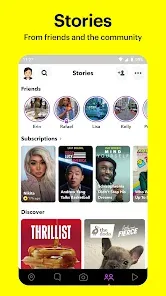
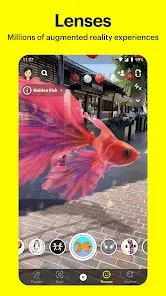
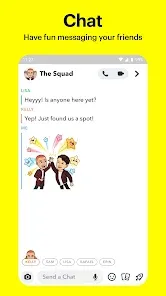

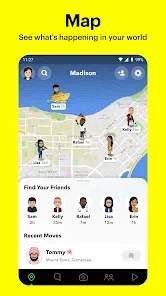
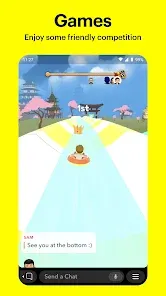


Snapchat is a multimedia messaging app popular among younger audiences for its unique approach to sharing photos and videos called “Snaps.” Launched in 2011, Snapchat revolutionized social media by focusing on ephemeral content that disappears after being viewed, fostering a more spontaneous and casual form of communication. The app allows users to send images, videos, and messages that vanish within seconds, offering privacy and encouraging real-time sharing. Over the years, Snapchat has expanded its features to include Stories, augmented reality (AR) filters, Snap Map, and Discover content from brands and media outlets, making it a versatile platform for both personal interaction and entertainment.
Pros and Cons of Snapchat
Pros:
Ephemeral messages promote candid and pressure-free communication.
Wide variety of fun AR filters and lenses enhance user creativity.
Stories feature lets users share moments with friends for 24 hours.
Snap Map enables location sharing with close contacts for enhanced social connection.
Discover section provides access to news, entertainment, and exclusive content.
Strong emphasis on privacy through disappearing content and notifications.
Engaging interface designed for quick and intuitive interaction.
Cons:
Content disappears quickly, which can lead to loss of important information.
Some users may misuse the app for inappropriate content or cyberbullying.
Privacy concerns despite disappearing messages, as screenshots can be taken.
Can be confusing for new users due to non-traditional navigation.
Limited text communication compared to other messaging apps.
Requires a smartphone and internet connection for full functionality.
Key Features of Snapchat
Snap sending: photos or videos that disappear after viewing.
Stories: user-created compilations available for 24 hours.
Filters and lenses: real-time augmented reality effects.
Chat: instant messaging with disappearing messages and video calls.
Snap Map: sharing location and viewing friends’ whereabouts.
Discover: curated content from publishers, brands, and creators.
Memories: saved snaps and stories for later viewing or sharing.
Bitmoji integration: personalized avatars to enhance interaction.
Streaks: gamified feature rewarding consecutive daily snaps with friends.
Spotlight: platform for user-generated viral video content.
Functions of Snapchat
Enables quick sharing of photos and videos with friends and followers.
Facilitates private and group conversations with text, audio, and video.
Offers creative tools like drawing, stickers, and filters for content personalization.
Tracks and displays social engagement through Snap Streaks and score.
Allows location sharing with selective privacy controls via Snap Map.
Delivers news and entertainment through the Discover tab.
Provides a platform for viral short video content through Spotlight.
Saves important snaps securely with Memories feature.
Supports Bitmoji integration for expressive digital communication.
How to Use Snapchat
Click the button "Check All Versions" below to download and install it.
Step 1: Download and install Snapchat from the App Store or Google Play.
Step 2: Create an account by entering your email, birthdate, and setting a username.
Step 3: Add friends by syncing contacts, searching usernames, or scanning Snapcodes.
Step 4: Open the camera interface to take a photo or record a video Snap.
Step 5: Customize your Snap with filters, lenses, text, stickers, or drawings.
Step 6: Send your Snap to specific friends or add it to your Story for 24-hour visibility.
Step 7: Use the chat function to send messages, make voice or video calls.
Step 8: Explore Snap Map to see friends’ locations or share your own selectively.
Step 9: Visit Discover to browse curated news and entertainment.
Step 10: Save favorite Snaps and Stories in Memories for future access.
Step 11: Keep your account secure by enabling two-factor authentication and managing privacy settings.


 0
0