

WhatsApp Messenger is a widely-used instant messaging application owned by Meta Platforms Inc., designed to facilitate free and secure communication across the globe. Launched in 2009, WhatsApp allows users to send text messages, voice notes, images, videos, documents, and make voice and video calls using an internet connection rather than traditional cellular networks. The app’s end-to-end encryption ensures privacy, making conversations accessible only to the communicating parties. Available on multiple platforms including iOS, Android, and desktop, WhatsApp has become an essential communication tool for personal, professional, and group interactions, connecting over two billion users worldwide.
Pros and Cons
Pros:
Free to use with only an internet connection required.
End-to-end encryption guarantees secure and private communication.
Supports multiple communication formats: text, voice, video, and multimedia sharing.
Group chats allow communication with multiple people simultaneously.
Cross-platform availability, including mobile and desktop versions.
Simple user interface that’s easy to navigate for all ages.
Supports voice and video calls globally without international fees.
Regular updates with new features and security enhancements.
Cons:
Requires a valid phone number to create an account.
Limited to users who have installed the app, which may restrict communication.
Privacy concerns over data sharing policies with parent company Meta.
Group chat sizes are capped, limiting very large gatherings.
Does not offer native message scheduling or multi-account support.
Can be a target for spam and phishing attempts through unsolicited messages.
Key Features
End-to-end encryption for all messages and calls.
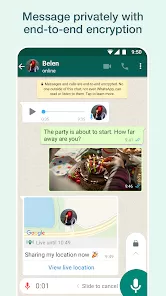
Text messaging, voice messaging, and multimedia sharing (photos, videos, documents).
Voice and video calling with individual or group participants.
Group chats supporting up to 1024 members.
WhatsApp Status for sharing temporary photos, videos, and text updates.
Web and desktop applications for use across multiple devices.
Location sharing in real-time with contacts.
Starred messages for easy access to important chats.
Simple backup and restore options via cloud services.
Functions
Send and receive text messages instantly over the internet.
Make voice and video calls without incurring carrier charges.
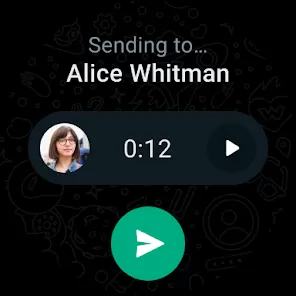
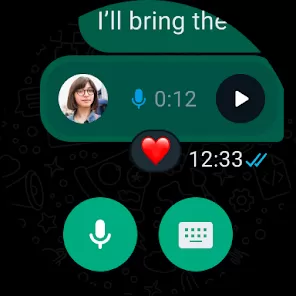
Share photos, videos, voice notes, documents, and contacts.
Create and manage group chats to communicate with multiple users simultaneously.
Use WhatsApp Status to share updates visible for 24 hours.
Backup and restore chats using Google Drive (Android) or iCloud (iOS).
Use WhatsApp Web to access chats on a computer through a browser.
Block or report contacts and manage privacy settings.
Search chats and messages efficiently within conversations.
How to Use WhatsApp Messenger
Click the button "Check All Versions" below to download and install it.
Step 1: Download and install WhatsApp Messenger from the Google Play Store or Apple App Store.
Step 2: Open the app and verify your phone number by entering the code sent via SMS.
Step 3: Set up your profile by adding your name and optional profile photo.
Step 4: Allow the app to access your contacts to find friends already using WhatsApp.
Step 5: Tap the chat icon to start a new conversation with an existing contact or enter a phone number.
Step 6: Send messages, voice notes, photos, or videos using the respective icons in the chat window.
Step 7: To make a call, tap the phone or video icon in a chat window.
Step 8: Create group chats by selecting multiple contacts and naming the group.
Step 9: Use WhatsApp Status to share updates by tapping the Status tab and adding photos or text.
Step 10: Customize settings such as notifications, privacy, and chat backups through the Settings menu.








 0
0 


