What is Adobe Photoshop; Pros and Cons; Key Features; Functions; How to Use
What is Adobe Photoshop
Adobe Photoshop is a powerful photo editing and graphic design software widely used by professionals and hobbyists for creating, retouching, and manipulating images. It offers a comprehensive set of tools for tasks like photo enhancement, compositing, digital painting, and 3D modeling. With support for layers, masks, filters, and advanced color management, Photoshop allows precise control over image adjustments and creative effects. It integrates seamlessly with other Adobe Creative Cloud applications such as Illustrator, Lightroom, and After Effects. Photoshop’s versatility makes it an industry standard in photography, web design, advertising, and digital art, enabling users to bring imaginative concepts to life with professional quality and detail.
Pros and Cons
- Pros:
- Extensive set of professional tools for image editing and design.
- Layer-based editing allows precise control over complex compositions.
- Supports photo retouching, digital painting, and graphic design.
- Integration with Adobe Creative Cloud for asset sharing and collaboration.
- Regular updates introduce new tools and features.
- High compatibility with numerous file formats.
- Cons:
- Subscription-based, which can be costly for casual users.
- Steep learning curve for beginners due to advanced features.
- Resource-intensive; may require a powerful system for optimal performance.
- Some features may be overwhelming for non-professional users.
- Occasional interface complexity can slow down workflow for new users.
Key Features
- Advanced photo editing and retouching tools, including healing, clone stamp, and content-aware fill.
- Layer-based editing with masks and adjustment layers.
- Digital painting tools with customizable brushes and textures.
- Filters, effects, and blending modes for creative compositing.
- 3D design and rendering support.
- Integration with Adobe Creative Cloud for seamless workflow.
- Advanced color grading and color correction tools.
- Smart objects for non-destructive editing.
- Support for multiple file formats including PSD, PNG, JPEG, and RAW.
- Automated actions and batch processing for repetitive tasks.
Functions
- Edit and enhance photos with precise control over exposure, color, and sharpness.
- Create complex digital compositions using layers and masks.
- Apply creative filters, effects, and textures to images.
- Paint, draw, and illustrate using digital brushes and tools.
- Design web graphics, banners, and social media content.
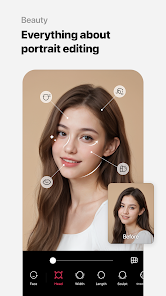
- Retouch portraits and remove imperfections using advanced tools.
- Generate 3D models and render them within compositions.
- Automate repetitive tasks using actions and scripts.
- Collaborate with other Adobe Creative Cloud apps for extended functionality.
- Export projects in multiple formats for web, print, or video production.
How to Use
- Install Adobe Photoshop via Adobe Creative Cloud and sign in with your account.
- Create a new project or open an existing image or file.
- Use layers to separate different elements of your composition.
- Apply adjustments, filters, and effects to enhance your image.
- Use retouching tools to correct imperfections and refine details.
- Leverage brushes and painting tools to add creative elements.
- Export your final project in the desired format for web, print, or multimedia.
- Save work frequently and utilize version control for complex projects.
- Explore Adobe tutorials and templates for learning and inspiration.
- Regularly update Photoshop to access new features and performance improvements.


 0
0