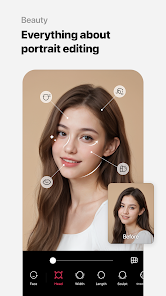
What is Microsoft Photos
Microsoft Photos is a built-in application for Windows devices designed to manage, edit, and organize photos and videos. It allows users to view images, create albums, edit photos with basic tools, and even make short videos or slideshows. The app supports a variety of file formats, including JPEG, PNG, BMP, and MP4, providing an integrated solution for multimedia management. With features such as automatic organization, facial recognition, and cloud syncing via OneDrive, Microsoft Photos helps users quickly find and enjoy their media. It combines simplicity with functionality, offering both casual users and hobbyists an easy way to enhance and share visual content on Windows.
Pros and Cons
- Pros:
- Comes pre-installed on Windows, requiring no additional download.
- Supports basic photo editing, cropping, filters, and adjustments.
- Video editing tools allow creation of slideshows and short videos.
- Organizes photos automatically using albums and tags.
- Facial recognition and search functionality help find photos quickly.
- Integration with OneDrive for cloud backup and syncing across devices.
- User-friendly interface suitable for beginners.
- Cons:
- Limited advanced photo editing features compared to professional software.
- Video editing tools are basic and may not meet advanced needs.
- Performance can be slow with large photo libraries.
- Occasional glitches or crashes reported during media-heavy operations.
- Does not support some specialized file formats like RAW without plugins.
Key Features
- View, organize, and manage photos and videos in one app.
- Basic photo editing: crop, rotate, adjust brightness, contrast, and filters.
- Video editing: create short movies, slideshows, and add music or text overlays.
- Automatic albums based on dates, locations, and facial recognition.
- Integration with OneDrive for cloud storage and access across devices.
- Search photos using keywords, tags, or recognized faces.
- Slideshow presentation feature for quick viewing of albums.
- Support for multiple image and video formats including JPEG, PNG, BMP, and MP4.
- Sharing options for social media, email, or direct messaging.
- Minimalistic and intuitive user interface for ease of use.
Functions
- View and zoom photos or videos with simple navigation controls.
- Edit images using cropping, filters, color adjustments, and annotations.
- Create video clips or slideshows from selected photos and videos.
- Organize media into albums for easier access and categorization.
- Search for specific photos using dates, locations, or facial recognition.
- Sync photos and videos with OneDrive for backup and remote access.
- Share images and videos directly from the app via social platforms or email.
- Automatically group related photos using AI-based recognition features.
- Play slideshows with music, transitions, and timing adjustments.
- Provide a simple multimedia management tool without needing external software.
How to Use
- Open Microsoft Photos from the Start menu on Windows 10 or 11.
- Browse your photo library or select a folder to view images and videos.
- Click on a photo or video to open it for viewing or editing.
- Use the Edit & Create menu to crop, adjust colors, or apply filters.
- Create albums by selecting multiple photos and choosing Create Album.
- For video creation, select multiple photos/videos and choose Create Video to add music and text.
- Use the search bar to find images by date, location, or recognized faces.
- Share media by clicking the Share button and selecting your preferred platform.
- Enable OneDrive integration to back up and sync photos across devices.
- Regularly update Windows to ensure Microsoft Photos remains current with new features and improvements.


 0
0