

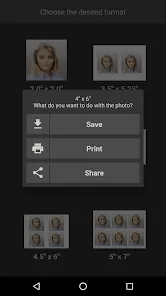
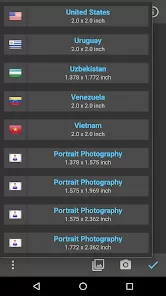
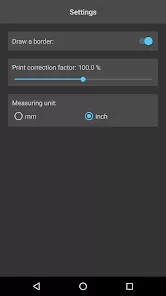
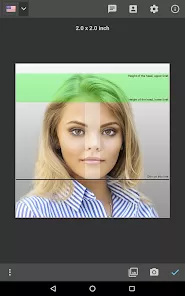

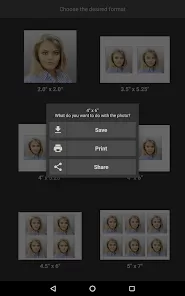

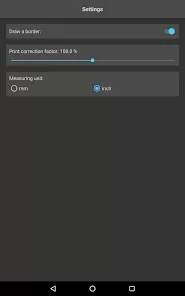
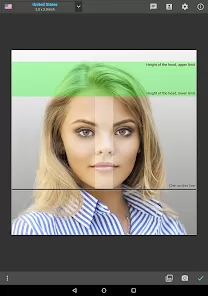
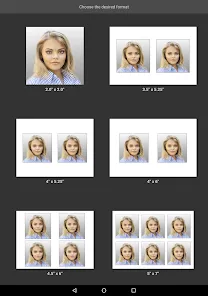
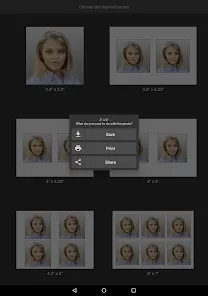


Passport Photo - ID Photo is a utility app designed to create professional passport, visa, and identification photos that meet official requirements. Users can capture or upload images and adjust size, background, and alignment to comply with government standards. The app offers cropping tools, background editing, and format selection for different countries. With easy-to-use guides and templates, Passport Photo - ID Photo ensures users produce accurate and accepted ID photos without visiting a studio. The app simplifies the process of preparing identification documents while saving time and effort.
Key Features
Capture or upload photos for passport and ID documents.
Automatic sizing and alignment adjustments.
Background editing and removal tools.
Country-specific templates and requirements.
High-resolution output for printing or digital submission.
Crop and rotate tools for precise positioning.
Preview mode for checking compliance with standards.
Support for multiple ID types including visa and driver’s licenses.
Guided instructions for correct photo placement.
Regular updates for new document standards.
Pros & Cons
Pros:
Ensures passport and ID photos meet official standards.
Easy to use with step-by-step guidance.
Saves time compared to studio visits.
Supports multiple countries and document types.
Provides high-quality digital images suitable for printing.
Cons:
Some features require in-app purchases.
Lighting quality may affect photo accuracy.
Manual adjustments may be needed for complex backgrounds.
Limited offline functionality for certain features.
Functions
Captures photos with correct framing and lighting.
Adjusts size and alignment according to official standards.
Removes or edits background for compliance.
Generates output suitable for printing or digital submission.
Provides templates and guides for different countries.
Crops, rotates, and fine-tunes images for perfect placement.
Previews final image to verify standard compliance.
Saves and exports photos in required formats.
How to Use
Click the button "Check All Versions" below to download and install it.
Open the app and select the type of ID or passport photo required.
Capture a new photo or upload an existing image.
Use cropping and alignment tools to adjust the image.
Edit the background as needed to meet official standards.
Preview the final photo to ensure compliance.
Save or export the photo for printing or online submission.
Repeat the process for multiple photos if necessary.



 0
0