
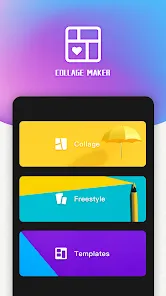



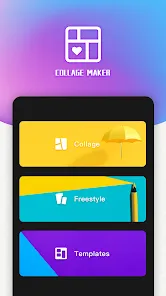


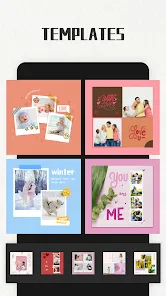
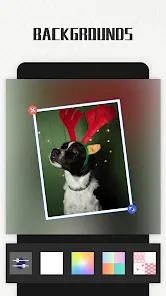










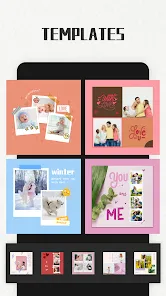
Photo Collage Maker is a creative mobile application designed to help users combine multiple photos into visually appealing collages. Ideal for both casual users and professional content creators, the app provides a wide range of templates, layouts, and design tools. Users can add text, stickers, backgrounds, and effects to customize their collages and enhance visual storytelling. The app supports high-resolution photo editing and seamless integration with social media platforms, making it easy to share creations with friends, family, or online audiences. With an intuitive interface, drag-and-drop functionality, and frequent updates, Photo Collage Maker empowers users to create unique, professional-looking collages quickly and efficiently.
Pros and Cons
- Pros:
- Wide selection of templates and collage layouts.
- Customizable backgrounds, text, stickers, and effects.
- Supports high-resolution photo output for professional quality.
- Intuitive drag-and-drop interface suitable for beginners.
- Seamless sharing to social media platforms.
- Regular updates with new templates, stickers, and features.
- Allows for creative freedom with photo placement and editing tools.
- Cons:
- Some advanced templates and effects may require a paid subscription.
- Ads in the free version may interrupt workflow.
- Large projects may slow down older devices.
- Limited features for highly advanced photo editing compared to professional software.
- Export options may be restricted in the free version.
Key Features
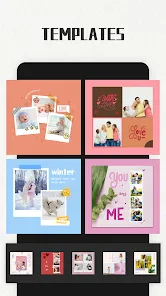
- Extensive library of collage templates and customizable layouts.
- Text addition with various fonts, colors, and styles.
- Stickers, emojis, and clip art to enhance creativity.
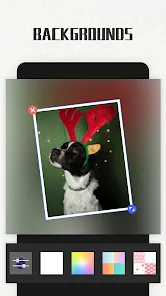
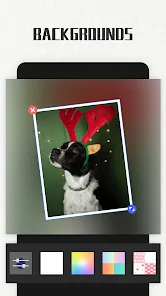
- Background customization with colors, patterns, or images.
- Photo editing tools including crop, rotate, resize, and filters.
- High-resolution export for printing or online sharing.
- Drag-and-drop interface for easy photo placement and design.
- Integration with social media for direct sharing.
- Multi-photo support with adjustable borders and spacing.
- Regular updates adding seasonal or trending templates and effects.
Functions
- Allows users to combine multiple photos into creative collages.
- Provides tools for editing photos individually or within the collage.
- Enables addition of text, stickers, and decorative elements.
- Supports background customization and theme selection.
- Facilitates high-resolution export for online or offline use.
- Organizes projects with layers for easy editing and adjustments.
- Offers templates for quick creation or custom layouts for personalized designs.
- Supports sharing collages directly to social media or messaging apps.
- Allows users to save drafts for future editing.
- Provides intuitive controls for resizing, rotating, and arranging images.
How to Use
- Download Photo Collage Maker from the App Store or Google Play.
- Create an account or continue as a guest to start using the app.
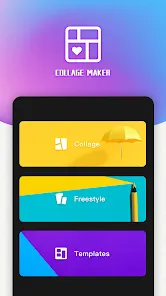
- Select a template or choose a blank layout to begin a new collage.
- Add photos from your device gallery or cloud storage.
- Customize the collage using text, stickers, backgrounds, and effects.
- Adjust photo placement, size, rotation, and spacing as needed.
- Apply filters and enhancements to improve photo quality.
- Preview the collage and make final adjustments before exporting.
- Export the collage in high resolution for sharing or printing.
- Share directly to social media platforms or save to your device gallery.
- Save drafts to continue editing later if needed.

 0
0