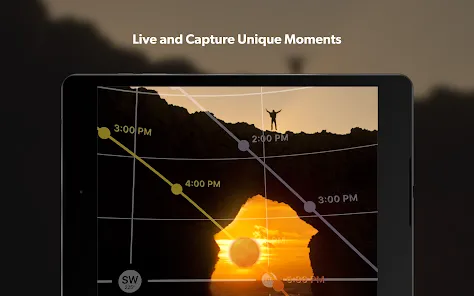

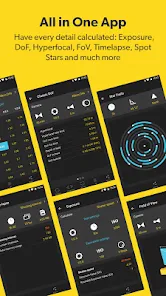
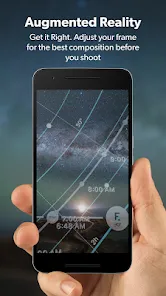
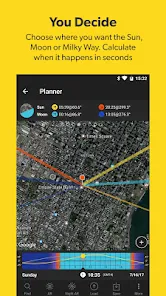
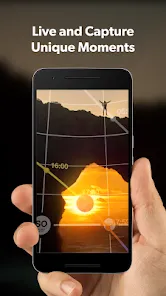

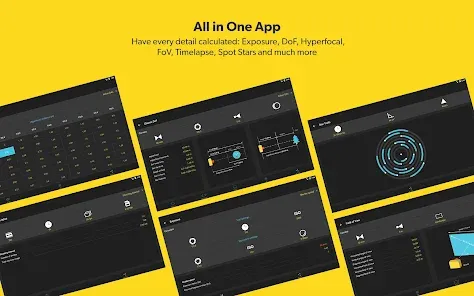
PhotoPills is a comprehensive photography planning application designed to help photographers of all levels capture perfect shots with precision. It provides advanced tools for planning and visualizing shots, including sun and moon calculators, augmented reality (AR) viewfinder, star trails, and time-lapse planning. With PhotoPills, photographers can determine the exact position of celestial bodies, calculate exposure settings, and explore creative compositions before arriving at a location. The app supports both landscape and astrophotography, enabling precise planning for sunrise, sunset, golden hour, and night sky photography. Available on iOS and Android devices, PhotoPills empowers photographers to make informed decisions, improve efficiency, and enhance creativity in every shot.
Pros and Cons
Pros:
Comprehensive set of photography planning tools for various genres.
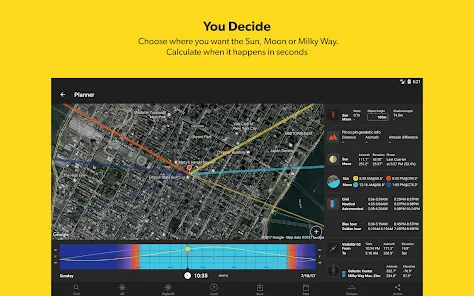
Sun, moon, and Milky Way calculators for accurate positioning.
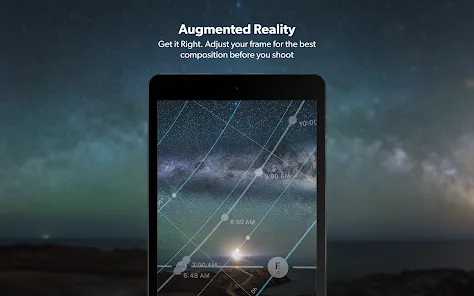
Augmented Reality (AR) viewfinder for real-time shot visualization.
Supports planning for golden hour, blue hour, sunrise, sunset, and night photography.
Time-lapse and star trail planning tools for advanced photographers.
User-friendly interface with clear navigation and intuitive features.
Offline functionality for use in remote locations without internet.
Regular updates with new features and improvements.
Cons:
Premium purchase required; no free full-feature version.
Can be overwhelming for beginners due to extensive features.
Some advanced tools require prior knowledge of photography principles.
Limited tutorials within the app for beginners to fully utilize features.
High device battery consumption when using AR and GPS-based features.
Smaller screens may reduce AR visualization effectiveness.
Key Features
Sun and moon position calculators for planning precise shots.
Milky Way and celestial object tracking for astrophotography.
Augmented Reality (AR) viewfinder for real-time visualization.
Time-lapse and star trail calculators for long exposure photography.
Exposure and depth-of-field calculators for accurate settings.
Map and GPS integration for location scouting and planning.
Golden hour, blue hour, sunrise, and sunset planning tools.
Offline functionality for remote photography locations.
Comprehensive reminders and notifications for optimal shooting times.
Compatibility with both iOS and Android devices.
Functions
Plan shots for sunrise, sunset, and golden/blue hour photography.
Calculate sun, moon, and Milky Way positions to improve composition.
Use AR viewfinder to visualize final shot before arrival at location.
Plan star trails, time-lapses, and long-exposure sequences accurately.
Determine correct camera settings using exposure, depth-of-field, and field-of-view calculators.
Scout locations using GPS-enabled maps for optimal framing.
Receive notifications and reminders for ideal shooting times.
Track celestial events for astrophotography projects.
Save and organize planned shots for future use.
Combine multiple tools to optimize workflow and improve shot efficiency.
How to Use PhotoPills
Click the button "Check All Versions" below to download and install it.
Download PhotoPills from the App Store or Google Play Store and purchase the full version.
Open the app and select the planning tool you want to use (sun, moon, Milky Way, etc.).
Set your location using GPS or manually select coordinates for your shooting spot.
Use AR viewfinder to visualize the scene with celestial bodies or landmarks.
Calculate exposure, depth-of-field, and field-of-view for your camera settings.
Plan time-lapses, star trails, or night photography sequences using dedicated tools.
Save planned shots and set notifications for the best shooting times.
Scout the location using integrated maps to determine optimal angles and compositions.
Use reminders and alerts to capture shots during golden hour, sunrise, sunset, or night sky conditions.
Review and adjust plans based on environmental factors or weather updates.


 0
0