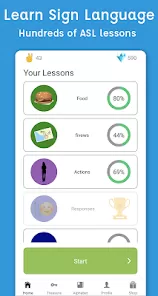
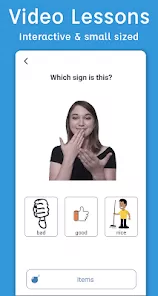

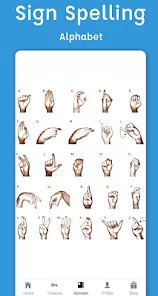
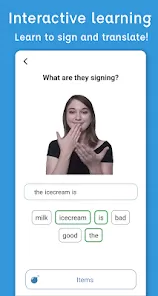

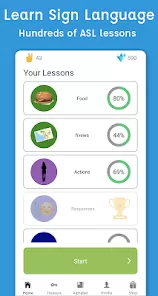
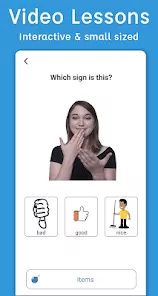

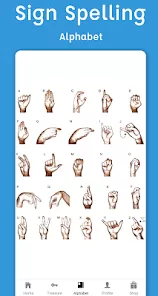
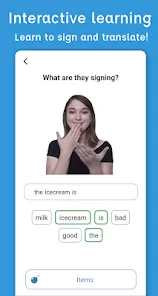

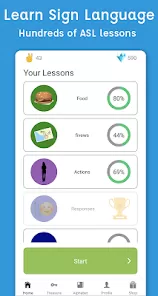
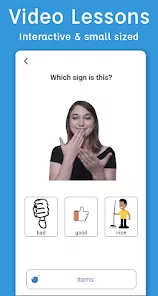

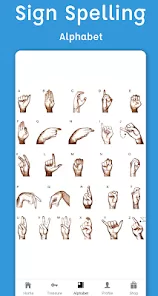
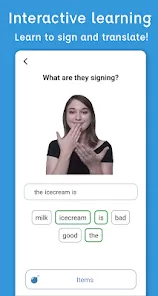

Sign Language ASL Pocket Sign is a mobile application designed to help users learn and practice American Sign Language (ASL) conveniently on their smartphones. It serves as a portable reference and learning tool for beginners, students, educators, and anyone interested in communicating through ASL. The app provides visual demonstrations of signs for letters, words, phrases, and common expressions, making it easier to memorize and practice correct hand shapes and motions. With a user-friendly interface, categorized content, and interactive features, users can search for specific signs, practice daily exercises, and gradually build their ASL vocabulary. ASL Pocket Sign is especially useful for individuals who want to learn at their own pace, reinforce classroom learning, or communicate effectively with the Deaf and Hard-of-Hearing community.
Pros and Cons
- Pros:
- Provides a comprehensive visual reference for ASL letters, words, and phrases.
- User-friendly interface that simplifies navigation and learning.
- Portable learning tool for practice anytime, anywhere.
- Interactive exercises help reinforce memorization and comprehension.
- Suitable for beginners as well as intermediate learners.
- Search functionality allows quick access to specific signs.
- Supports communication with the Deaf and Hard-of-Hearing community.
- Cons:
- Limited advanced lessons; primarily designed for basic and intermediate learning.
- May lack audio cues for pronunciation context, which some learners prefer.
- Some signs may differ regionally; not all variations of ASL are included.
- Free version may include ads or limit access to certain features.
- Does not replace in-person practice or classroom instruction for advanced proficiency.
Key Features
- Visual demonstrations of ASL alphabet, words, phrases, and common expressions.
- Interactive exercises for daily practice and reinforcement.
- Search function for quickly finding specific signs.
- Category-based organization for easier navigation of signs.
- Bookmark or favorite signs for easy reference.
- Step-by-step guidance for beginners to learn hand shapes and motions.
- Offline access to learned signs for practice without internet.
- Regular updates to include additional signs and phrases.
- Simple and intuitive interface suitable for all ages.
- Portable “pocket” reference for on-the-go learning.
Functions
- Provide a visual guide for learning ASL letters, words, and phrases.
- Enable users to search, explore, and practice signs efficiently.
- Offer interactive exercises to reinforce memory and comprehension.
- Bookmark frequently used signs for quick reference.
- Support offline learning and practice without needing continuous internet access.
- Serve as a teaching tool for educators and students.
- Track progress through repeated practice and exercises.
- Assist with communication between hearing and Deaf or Hard-of-Hearing individuals.
- Provide categorized content for structured learning.
- Allow gradual skill-building for everyday ASL usage and basic conversation.
How to Use
- Download and install Sign Language ASL Pocket Sign from Google Play or the App Store.
- Open the app and browse the main categories such as alphabet, words, or phrases.
- Use the search function to quickly find specific signs you want to learn.
- Watch the visual demonstration carefully and practice the hand movements.
- Bookmark or save frequently used signs for future reference.
- Complete interactive exercises or daily practice sessions to reinforce learning.
- Use offline mode to practice signs anywhere, even without an internet connection.
- Gradually progress from basic letters to more complex phrases and sentences.
- Incorporate signs learned into everyday communication with Deaf or Hard-of-Hearing individuals.
- Regularly revisit and review signs to maintain proficiency and build vocabulary.



 0
0