
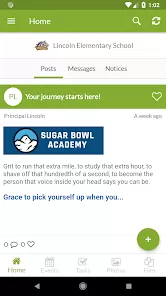
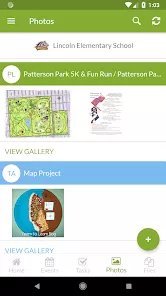
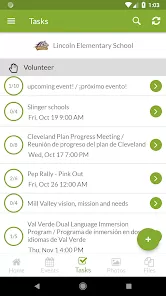
ParentSquare is a communication and engagement platform designed for schools, districts, and educators to connect efficiently with parents and guardians. It centralizes messages, announcements, forms, events, and alerts in a single, secure platform. Parents can receive notifications via email, text, or app, ensuring they stay informed about student activities, school events, and important updates. The platform supports two-way communication, allowing parents to respond to messages, sign forms, and provide feedback. ParentSquare aims to foster stronger school-community engagement, simplify communication processes, and improve parental involvement in student learning and school activities.
Pros and Cons of ParentSquare
Pros:
Centralized platform for school-to-parent communication.
Supports multiple communication channels including email, SMS, and app notifications.
Two-way communication allows parents to respond and engage with teachers.
Secure and compliant with privacy regulations.
Easy distribution of forms, surveys, and event information.
Improves parental engagement and involvement in school activities.
User-friendly interface for parents, teachers, and administrators.
Real-time notifications ensure timely updates and alerts.
Cons:
Some advanced features may require paid subscriptions.
Initial setup may require technical support for larger school districts.
Dependent on parents having smartphones or email access for optimal use.
Notifications can become overwhelming if not managed properly.
Limited customization options for some communication templates.
Requires regular updates and training to maximize feature use.
Key Features of ParentSquare
Centralized messaging system for school administrators, teachers, and parents.
Multiple communication channels including text, email, and mobile app notifications.
Two-way messaging for parent-teacher engagement.
Forms, surveys, and permission slips can be sent and signed digitally.
Event scheduling and calendar management for school activities.
Translation support for non-English speaking parents.
Secure, encrypted platform compliant with student privacy regulations.
Real-time alerts for emergencies, schedule changes, and announcements.
Integration with student information systems (SIS) for streamlined data access.
Analytics and reporting tools to track parent engagement and communication effectiveness.
Functions of ParentSquare
Send announcements, alerts, and reminders to parents and guardians.
Enable two-way communication between parents, teachers, and administrators.
Distribute and collect signed forms, surveys, and permission slips digitally.
Schedule and share school events and activities with calendar integration.
Provide real-time notifications for emergencies, closures, and important updates.
Offer translation options for multilingual parent communities.
Track engagement metrics to assess parent involvement and responsiveness.
Integrate with school systems for seamless data and contact management.
Facilitate group messaging by classes, grades, or specific parent groups.
Support secure access for staff and parents with role-based permissions.
How to Use ParentSquare
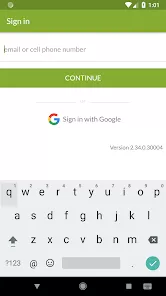
Sign up or log in to ParentSquare using your school-provided credentials.
Download the ParentSquare app or access the web portal on your device.
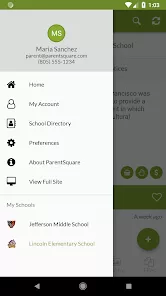
Review and customize notification preferences (email, text, app notifications).
Receive messages from teachers, administrators, and school staff in one centralized inbox.
Respond to messages or provide feedback using the two-way messaging feature.
Sign forms, surveys, and permission slips digitally through the platform.
Check school event calendars and RSVP or register for activities.
Enable translations if needed to view messages in your preferred language.
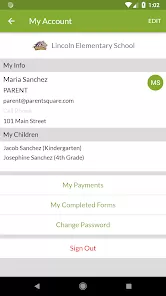
Track your child’s communication history, announcements, and alerts.
Regularly update the app and review notifications to stay informed about school activities.



 0
0