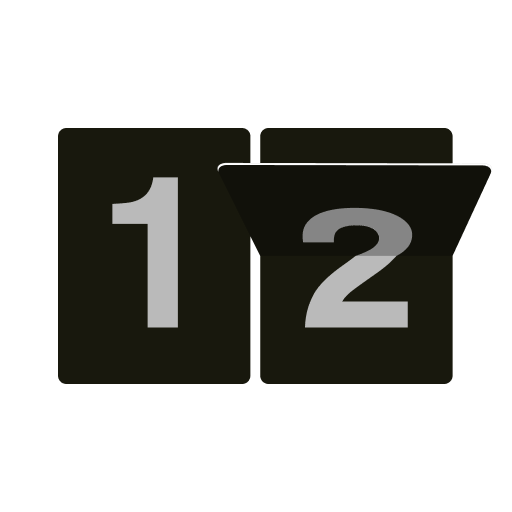
Zen Flip Clock is a sleek and minimalist app designed to provide users with a digital clock experience that mimics the appearance of classic flip clocks. The app displays hours, minutes, and seconds with smooth flipping animations, offering both aesthetic appeal and functional timekeeping. Users can customize the clock’s appearance with various themes, colors, and font styles to match their device’s home screen or personal preferences. Zen Flip Clock also includes features such as alarms, timers, and optional date display, making it a versatile utility for daily use. Lightweight and easy to use, the app combines style and practicality, appealing to users who value both design and functionality in time management tools.
Key Features
Realistic flip clock animation replicating vintage mechanical clocks.
Customizable themes, colors, and fonts for a personalized appearance.
Optional date display along with time for added convenience.
Built-in alarm and timer functionality for daily reminders.
Snooze options and adjustable alarm settings.
Supports both 12-hour and 24-hour time formats.
Simple and intuitive interface for easy navigation.
Lightweight design ensures minimal battery consumption.
Resizable widget for home screen placement.
Quiet operation with smooth animations and minimal distractions.
Pros & Cons
Pros:
Visually appealing flip clock design enhances device aesthetics.
Customizable options allow users to create a personalized look.
Combines clock, alarm, and timer in a single app.
Lightweight and efficient, suitable for all devices.
Easy to use with minimal setup required.
Cons:
Lacks advanced scheduling or reminder features found in other clock apps.
Limited widget sizes for some device screens.
Some themes may require in-app purchases to unlock.
Animations may slightly lag on older devices.
Functions
Displays current time with realistic flip animations.
Shows date along with hours and minutes if enabled.
Sets alarms with customizable sounds and snooze options.
Configures countdown timers for tasks or activities.
Allows theme, color, and font customization for personalized appearance.
Supports multiple clock formats including 12-hour and 24-hour.
Provides resizable widgets for home screen placement.
Maintains accurate time even when the app is running in the background.
How to Use
Click the button “Check All Versions” below to download and install it.
Open the app and grant necessary permissions for notifications and alarms.
Choose your preferred clock theme, color, and font style.
Enable the date display if desired and select 12-hour or 24-hour format.
Set alarms by specifying time, sound, and repetition settings.
Use the timer function for countdowns or reminders.
Add the widget to your home screen and adjust its size as needed.
Enjoy smooth flip animations and timely alerts for your schedule.
Update themes or app settings whenever customization preferences change.


 0
0