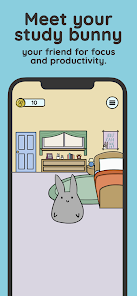
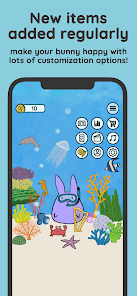
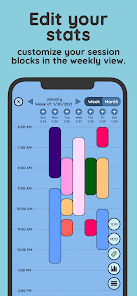
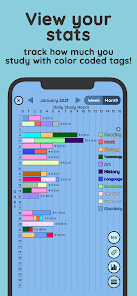


Study Bunny: Focus Timer is a productivity app designed to help users improve concentration and manage study sessions through structured timers and motivational features. It uses the Pomodoro technique and customizable timers to encourage focused work periods followed by breaks, enhancing efficiency and minimizing distractions. The app includes playful visual rewards, task tracking, and habit monitoring to motivate consistent progress. Ideal for students, freelancers, and professionals, Study Bunny combines productivity strategies with gamified elements, creating a fun and engaging environment for completing tasks, maintaining focus, and building effective study or work habits over time.
Key Features
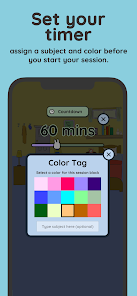
Customizable Pomodoro-style focus timers.
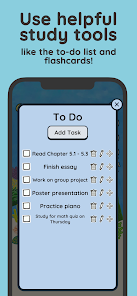
Task and to-do list management.
Visual rewards and achievements for motivation.
Progress tracking with statistics.
Break reminders and schedule planning.
Gamified interface with interactive elements.
Daily habit and streak tracking.
Background music and focus sounds.
Offline functionality for uninterrupted focus.
User-friendly design for all age groups.
Pros & Cons
Pros:
Encourages sustained focus and productivity.
Motivates users with gamified rewards.
Customizable timers for different tasks.
Tracks habits and task completion over time.
Suitable for students and professionals alike.
Cons:
Some features require premium access.
Visual rewards may feel repetitive over time.
Limited advanced productivity integrations.
Functions
Sets and manages focus and break timers.
Tracks completed tasks and habits.
Provides visual motivation with rewards.
Records progress statistics and streaks.
Allows customization of timer duration and notifications.
Plays background focus music to improve concentration.
How to Use
Click the button ""Check All Versions"" below to download and install it.
Open the app and create a study or work profile.
Set tasks and desired focus duration.
Start the timer and follow the focus period.
Take breaks as prompted by the app.
Track progress, streaks, and achievements.
Adjust settings and sounds to optimize concentration.


 0
0